Learn Ripluo Step by Step
Watch video walkthroughs and read detailed written guides to get the most out of your event planning software.
Table of Contents
Getting Started
- 1Why Spreadsheets Are Killing Your Productivity: A Complete Ripluo OverviewA full walkthrough of every tool in Ripluo - from event planning essentials like schedules, checklists, and budgets to the built-in CRM with leads, proposals, contracts, and invoicing. See why spreadsheets can't keep up.
- 2Event Planning Software Tutorial for Beginners: Getting Started with RipluoLearn how to set up your Ripluo account, navigate the dashboard, customize your event tools, use Buildr AI to auto-generate schedules, and create your first event from scratch.
- 3How to Create Your First Event in RipluoLearn how to sign up for Ripluo, create your first event, customize your planning tools, and configure event settings. Everything you need to go from zero to planning in under five minutes.
- 4Creating Your Ripluo Account and Sign-In OptionsEvery way to sign in to Ripluo: email and password, Google, and what to do if you forget your password. Plus what happens automatically when you sign in with Google for the first time.
- 5Using Ripluo on Your Phone, Tablet, and DesktopRipluo runs in the browser on every device with nothing to install. What works best where, and how to put Ripluo one tap away on your phone's home screen.
Budgets
- 1How to Create and Manage an Event BudgetLearn how to set up an event budget in Ripluo with categories, transactions, committed costs, and real-time variance tracking. Build it yourself or let Buildr AI generate the whole budget for you. Full video walkthrough included.
- 2How to Use Planned Items, Calculated Estimates, Financial Visibility, Transfers & SearchDive into Ripluo's advanced budget features: planned items for tracking committed costs, fixed and calculated estimates, financial visibility controls, direct transfers, subcategories, and budget search.
- 3How to Manage Budgets Across Multiple EventsLearn how to allocate budgets across multiple events in Ripluo, divide shared costs, transfer funds between events, and compare spending across your portfolio.
Floor Plans
- 1How to Design Event Floor Plans and Seating LayoutsLearn how to create event floor plans in Ripluo with draggable tables, chairs, stages, custom objects, labeled zones, guest assignment, and color-coding to visualize your entire event space.
- 2How to Share Floor Plans and Create Multiple LayoutsLearn how to create multiple layout versions of your event floor plan in Ripluo, share them with vendors, and export polished designs for printing and presentations.
Organization
- 1How to Use Event Notes and File ManagementLearn how to create and organize event notes in folders and manage file uploads within your Ripluo event workspace. Keep meeting notes, vendor info, and documents right where you need them.
- 2How to Use the Calendar View for Tasks and EventsSee all your task due dates and events on a visual calendar. Toggle between month, week, and day views to spot deadline clusters, plan your week, and stay on top of what is coming next.
CRM
- 1How to Build Your Contact and Company DatabaseLearn how to add contacts with custom fields, link them to companies, track activity timelines, and build a centralized database that powers your entire event business.
- 2How to Set Up and Manage Your Sales PipelineLearn how to create opportunities with line items, move deals through pipeline stages, track deal value and probability, and log activities to close more event business.
- 3How to Customize Your CRM Pipeline StagesLearn how to add, rename, reorder, and remove pipeline stages in Ripluo's CRM to match your specific sales process - with examples for wedding planners, corporate planners, and agencies.
- 4How to Log Emails to Your CRM with BCCLearn how to find your BCC address, set it up in Gmail or Outlook, and automatically log every client email to the right contact in Ripluo's CRM.
- 5How to Capture Leads and Convert Them to ClientsLearn how to embed lead capture forms, integrate with Google and Facebook Ads, track where your leads come from, and convert leads into contacts and pipeline opportunities.
- 6How to Convert a Won Deal into an EventLearn how to turn a closed opportunity into a fully set up event with pre-populated details, creating a smooth handoff from sales to planning.
Setup
- 1How to Set Up Your Service Catalog, Tax & Discount TemplatesCreate a reusable service catalog with pricing and item codes, build tax and discount templates, and use them across proposals, quotes, and invoices for consistent and accurate billing.
- 2How to Set Up Organization Branding and SettingsConfigure your organization's logo, brand colors, and tagline in Ripluo. See how your branding automatically carries through proposals, contracts, invoices, and public-facing event pages.
Team
- 1How to Set Up Your Team with Roles and PermissionsInvite team members to your Ripluo organization, assign roles like owner, admin, and member, and configure 30+ detailed permissions to control who sees what - including financial data.
- 2Planner Invites vs Team Invites: Who Can See What in RipluoRipluo has two ways to give someone access: inviting them to your whole organization, or inviting them as a planner on a single event. Here is exactly what each person can see, and which invite to use when.
- 3How to Hide Budgets and Financials from Event PlannersInvite a freelancer to help with an event without showing them your margins. Ripluo's Financial Visibility controls hide budgets, sponsorship amounts, and speaker payments per person.
- 4Team Roles and Permissions in Ripluo, ExplainedWho can do what in your organization: the owner, your team members, and the per-person permission controls in Settings > Team.
Use Cases
- 1How to Use Ripluo for Wedding PlanningA complete guide for wedding planners showing how to manage timelines, guest coordination, vendor relationships, proposals, contracts, and invoicing - all from one platform built for event professionals.
- 2How to Use Ripluo for Corporate Event ManagementA step-by-step guide for corporate event planners covering multi-track schedules, speaker management, sponsor coordination, team collaboration, budgeting, and client-facing proposals and invoicing.
- 3How to Use Ripluo for Multi-Event OperationsA guide for event agencies and high-volume planners covering multi-event management, team permissions across events, template libraries, client management through the CRM, and scaling your operations.
- 4How to Plan a Wedding Day Step by Step: Ceremony, Cocktail Hour, and ReceptionA video walkthrough of the full wedding day run of show, built from 700+ events behind the booth. Covers what each phase actually needs, the processional order, the song decisions most people miss, and the reception sequence in order.
- 5How to Plan a Daddy Daughter Dance Timeline (2 Hour Sample Agenda)A video walkthrough of a real daddy daughter dance timeline, built block by block. Covers the 2 hour sample agenda, the order that keeps the room from going flat, why load in belongs on the timeline, and how to draft an agenda with AI and turn it into a plan you can run.
- 610 Daddy Daughter Dance Games and Activities That Actually WorkA video walkthrough of 10 games and activities for a daddy daughter dance, from icebreakers to the closing moment that gets families coming back year after year. Includes what to buy ahead and where each one belongs on your timeline.
Account & Billing
- 1Managing Your Ripluo Plan, Billing, and ReceiptsHow to upgrade or downgrade your plan, update your payment method, find your payment history, and download receipts for expense reports. Everything about the money side of your Ripluo account.
- 2How to Use Multiple Ripluo Accounts and Switch Between ThemFreelancing for an agency while running your own business? Ripluo lets you stay signed into up to four accounts and switch instantly - no logging out, no second browser.
- 3Understanding Plan Limits and Archived EventsWhat happens when you hit your plan's event limit, how the usage meters work, and how archiving events frees up space without deleting anything.
Troubleshooting
- 1Email Notifications Not Arriving? Here's How to Fix ItNot getting emails from Ripluo? Work through this checklist: notification preferences, plan requirements, spam filters, and the from-address to whitelist. Most cases are fixed in two minutes.
- 2Can't Log In to Ripluo? Work Through This ChecklistWrong password, wrong sign-in method, or wrong account - the three causes behind almost every locked-out moment, and how to fix each one in minutes.
- 3Invoice Payments Not Working? How to Diagnose ItA client says they can't pay your invoice. Check these in order: your Stripe connection, the payment options on the invoice, and what the client actually sees.
- 4Something Broke? Quick Fixes for Common Ripluo ErrorsA page won't load, a save failed, or something looks stuck. These four steps resolve most glitches - and here's exactly what to tell us when they don't.
Data & Exports
- 1Getting Your Existing Data into RipluoMoving from spreadsheets or another tool? What you can import directly (guest lists via CSV), what templates can do for you, and the honest state of everything else.
- 2Every Way to Export Your Data from RipluoPDF event exports with section-by-section control, CSV downloads for guests, volunteers, and form submissions, and where each export button lives.
- 3How Ripluo Protects Your Business DataWhere your data lives, why your clients' card numbers never touch our servers, what happens to your data when you downgrade, and how contract records are retained.

Why Spreadsheets Are Killing Your Productivity: A Complete Ripluo Overview
A full walkthrough of every tool in Ripluo - from event planning essentials like schedules, checklists, and budgets to the built-in CRM with leads, proposals, contracts, and invoicing. See why spreadsheets can't keep up.

Event Planning Software Tutorial for Beginners: Getting Started with Ripluo
Learn how to set up your Ripluo account, navigate the dashboard, customize your event tools, use Buildr AI to auto-generate schedules, and create your first event from scratch.
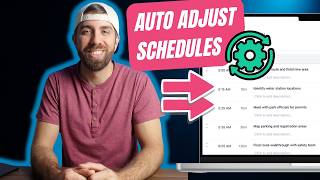
How to Build an Event Run of Show That Updates Itself
Stop manually recalculating your event timeline. Learn how to build a dynamic run of show in Ripluo with auto-updating times, team instructions, breakout rooms, and Buildr AI.
How to Create Your First Event in Ripluo
How to Create Your First Event in Ripluo
Learn how to sign up for Ripluo, create your first event, customize your planning tools, and configure event settings. Everything you need to go from zero to planning in under five minutes.
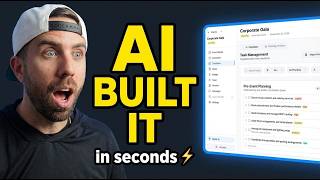
How to Create Checklists and Manage Event Tasks
Learn how to create organized checklists in Ripluo with tasks, subtasks, priorities, due dates, team assignments, and @mention comments. Use Buildr AI to generate checklists in seconds instead of starting from scratch.

How to Create and Manage an Event Budget
Learn how to set up an event budget in Ripluo with categories, transactions, committed costs, and real-time variance tracking. Build it yourself or let Buildr AI generate the whole budget for you. Full video walkthrough included.
How to Use Planned Items, Calculated Estimates, Financial Visibility, Transfers & Search
How to Use Planned Items, Calculated Estimates, Financial Visibility, Transfers & Search
Dive into Ripluo's advanced budget features: planned items for tracking committed costs, fixed and calculated estimates, financial visibility controls, direct transfers, subcategories, and budget search.
How to Manage Budgets Across Multiple Events
How to Manage Budgets Across Multiple Events
Learn how to allocate budgets across multiple events in Ripluo, divide shared costs, transfer funds between events, and compare spending across your portfolio.
How to Design Event Floor Plans and Seating Layouts
How to Design Event Floor Plans and Seating Layouts
Learn how to create event floor plans in Ripluo with draggable tables, chairs, stages, custom objects, labeled zones, guest assignment, and color-coding to visualize your entire event space.
How to Share Floor Plans and Create Multiple Layouts
How to Share Floor Plans and Create Multiple Layouts
Learn how to create multiple layout versions of your event floor plan in Ripluo, share them with vendors, and export polished designs for printing and presentations.
How to Use Event Notes and File Management
How to Use Event Notes and File Management
Learn how to create and organize event notes in folders and manage file uploads within your Ripluo event workspace. Keep meeting notes, vendor info, and documents right where you need them.
How to Use the Calendar View for Tasks and Events
How to Use the Calendar View for Tasks and Events
See all your task due dates and events on a visual calendar. Toggle between month, week, and day views to spot deadline clusters, plan your week, and stay on top of what is coming next.
How to Use Event Lists for Seating, Run-of-Show & Custom Tracking
How to Use Event Lists for Seating, Run-of-Show & Custom Tracking
Discover Ripluo's new Event Lists feature: create customizable tables with columns, sorting, and filtering for seating charts, vendor tracking, run-of-show details, equipment inventories, and more.
How to Create and Customize Public Event Pages
How to Create and Customize Public Event Pages
Learn how to create shareable public event pages in Ripluo, customize their appearance, choose which sections to display, embed them on your website, and track page views.
How to Create Guest Lists and RSVP Forms
How to Create Guest Lists and RSVP Forms
Learn how to build guest lists with custom columns, add guests manually or in bulk, create branded RSVP forms, and track responses in real time - all from one place.
How to Manage Volunteers - Opportunities, Applications & Check-In
How to Manage Volunteers - Opportunities, Applications & Check-In
Learn how to create volunteer opportunities, publish application forms, review and assign volunteers to shifts, and track check-ins on event day.
How to Manage Vendors and Compare Quotes
How to Manage Vendors and Compare Quotes
Learn how to build your vendor database, organize vendors by category, collect and compare quotes, and accept the best option directly into your event budget.
How to Book Speakers and Manage Travel Logistics
How to Book Speakers and Manage Travel Logistics
Learn how to manage your speaker pipeline, track multiple contacts per speaker, collect travel preferences, and coordinate logistics from booking to event day.
How to Create Sponsorship Packages and Track Sponsors
How to Create Sponsorship Packages and Track Sponsors
Learn how to build sponsorship tiers with pricing, manage sponsor relationships through a pipeline, create public application forms, and handle floor plan placement and invoicing.
How to Track Sponsor Deliverables and Speaker Commitments
How to Track Sponsor Deliverables and Speaker Commitments
Learn how to use auto-generated deliverables checklists, speaker commitment templates, and fulfillment tracking to make sure every promise gets kept.
How to Track Venues and Manage Bookings
How to Track Venues and Manage Bookings
Learn how to build your venue database, track booking stages, log communications, manage multiple venues per event, and organize rooms within a venue.
How to Build Your Contact and Company Database
How to Build Your Contact and Company Database
Learn how to add contacts with custom fields, link them to companies, track activity timelines, and build a centralized database that powers your entire event business.
How to Set Up and Manage Your Sales Pipeline
How to Set Up and Manage Your Sales Pipeline
Learn how to create opportunities with line items, move deals through pipeline stages, track deal value and probability, and log activities to close more event business.
How to Customize Your CRM Pipeline Stages
How to Customize Your CRM Pipeline Stages
Learn how to add, rename, reorder, and remove pipeline stages in Ripluo's CRM to match your specific sales process - with examples for wedding planners, corporate planners, and agencies.
How to Log Emails to Your CRM with BCC
How to Log Emails to Your CRM with BCC
Learn how to find your BCC address, set it up in Gmail or Outlook, and automatically log every client email to the right contact in Ripluo's CRM.
How to Capture Leads and Convert Them to Clients
How to Capture Leads and Convert Them to Clients
Learn how to embed lead capture forms, integrate with Google and Facebook Ads, track where your leads come from, and convert leads into contacts and pipeline opportunities.
How to Convert a Won Deal into an Event
How to Convert a Won Deal into an Event
Learn how to turn a closed opportunity into a fully set up event with pre-populated details, creating a smooth handoff from sales to planning.

How to Create, Brand, and Send Proposals
Watch the full video walkthrough and learn how to build a branded event proposal in Ripluo: capture the lead, pull pricing from your opportunity, add goals and client reviews, then send one link your client can accept online.
How to Create Quotes with Taxes, Discounts & Expiration
How to Create Quotes with Taxes, Discounts & Expiration
Build professional quotes in Ripluo using your service catalog, apply tax and discount templates, set validity periods, and easily create invoices from accepted quotes.
How to Create Contracts and Collect E-Signatures
How to Create Contracts and Collect E-Signatures
Build professional contracts in Ripluo using templates with 50+ auto-fill variables, collect legally binding e-signatures with one-time passcode verification, and maintain a complete record for every signed document.
How to Create Invoices and Accept Online Payments
How to Create Invoices and Accept Online Payments
Create professional invoices in Ripluo with line items, taxes, discounts, and payment terms. Connect Stripe to accept online payments, send payment links, and track your cash flow in one place.
How to Set Up Your Service Catalog, Tax & Discount Templates
How to Set Up Your Service Catalog, Tax & Discount Templates
Create a reusable service catalog with pricing and item codes, build tax and discount templates, and use them across proposals, quotes, and invoices for consistent and accurate billing.
How to Use Team Messaging, Email Templates & Notifications
How to Use Team Messaging, Email Templates & Notifications
Stay connected with your team using direct messages, group chats, and event-specific channels. Create reusable email templates with variables and customize your notification preferences.
How to Use Buildr AI to Generate Schedules, Checklists, Budgets & Emails
How to Use Buildr AI to Generate Schedules, Checklists, Budgets & Emails
Let Buildr AI do the heavy lifting. Describe your event and get a ready-to-use schedule, checklist, budget, or email draft in seconds. Iterate, refine, and save directly to your workspace.
How to Set Up Your Team with Roles and Permissions
How to Set Up Your Team with Roles and Permissions
Invite team members to your Ripluo organization, assign roles like owner, admin, and member, and configure 30+ detailed permissions to control who sees what - including financial data.
How to Set Up Organization Branding and Settings
How to Set Up Organization Branding and Settings
Configure your organization's logo, brand colors, and tagline in Ripluo. See how your branding automatically carries through proposals, contracts, invoices, and public-facing event pages.
How to Create Templates and Export PDFs
How to Create Templates and Export PDFs
Save any event as a reusable template with schedules, checklists, and budgets. Export polished PDFs filtered by role, room, or full timeline so every vendor gets exactly what they need.
How to Use Ripluo for Wedding Planning
How to Use Ripluo for Wedding Planning
A complete guide for wedding planners showing how to manage timelines, guest coordination, vendor relationships, proposals, contracts, and invoicing - all from one platform built for event professionals.
How to Use Ripluo for Corporate Event Management
How to Use Ripluo for Corporate Event Management
A step-by-step guide for corporate event planners covering multi-track schedules, speaker management, sponsor coordination, team collaboration, budgeting, and client-facing proposals and invoicing.
How to Use Ripluo for Multi-Event Operations
How to Use Ripluo for Multi-Event Operations
A guide for event agencies and high-volume planners covering multi-event management, team permissions across events, template libraries, client management through the CRM, and scaling your operations.

How to Plan a Wedding Day Step by Step: Ceremony, Cocktail Hour, and Reception
A video walkthrough of the full wedding day run of show, built from 700+ events behind the booth. Covers what each phase actually needs, the processional order, the song decisions most people miss, and the reception sequence in order.

How to Plan a Daddy Daughter Dance Timeline (2 Hour Sample Agenda)
A video walkthrough of a real daddy daughter dance timeline, built block by block. Covers the 2 hour sample agenda, the order that keeps the room from going flat, why load in belongs on the timeline, and how to draft an agenda with AI and turn it into a plan you can run.

10 Daddy Daughter Dance Games and Activities That Actually Work
A video walkthrough of 10 games and activities for a daddy daughter dance, from icebreakers to the closing moment that gets families coming back year after year. Includes what to buy ahead and where each one belongs on your timeline.
Planner Invites vs Team Invites: Who Can See What in Ripluo
Planner Invites vs Team Invites: Who Can See What in Ripluo
Ripluo has two ways to give someone access: inviting them to your whole organization, or inviting them as a planner on a single event. Here is exactly what each person can see, and which invite to use when.
Managing Your Ripluo Plan, Billing, and Receipts
Managing Your Ripluo Plan, Billing, and Receipts
How to upgrade or downgrade your plan, update your payment method, find your payment history, and download receipts for expense reports. Everything about the money side of your Ripluo account.
Email Notifications Not Arriving? Here's How to Fix It
Email Notifications Not Arriving? Here's How to Fix It
Not getting emails from Ripluo? Work through this checklist: notification preferences, plan requirements, spam filters, and the from-address to whitelist. Most cases are fixed in two minutes.
Creating Your Ripluo Account and Sign-In Options
Creating Your Ripluo Account and Sign-In Options
Every way to sign in to Ripluo: email and password, Google, and what to do if you forget your password. Plus what happens automatically when you sign in with Google for the first time.
How to Use Multiple Ripluo Accounts and Switch Between Them
How to Use Multiple Ripluo Accounts and Switch Between Them
Freelancing for an agency while running your own business? Ripluo lets you stay signed into up to four accounts and switch instantly - no logging out, no second browser.
Understanding Plan Limits and Archived Events
Understanding Plan Limits and Archived Events
What happens when you hit your plan's event limit, how the usage meters work, and how archiving events frees up space without deleting anything.
How to Hide Budgets and Financials from Event Planners
How to Hide Budgets and Financials from Event Planners
Invite a freelancer to help with an event without showing them your margins. Ripluo's Financial Visibility controls hide budgets, sponsorship amounts, and speaker payments per person.
Team Roles and Permissions in Ripluo, Explained
Team Roles and Permissions in Ripluo, Explained
Who can do what in your organization: the owner, your team members, and the per-person permission controls in Settings > Team.
Can't Log In to Ripluo? Work Through This Checklist
Can't Log In to Ripluo? Work Through This Checklist
Wrong password, wrong sign-in method, or wrong account - the three causes behind almost every locked-out moment, and how to fix each one in minutes.
Invoice Payments Not Working? How to Diagnose It
Invoice Payments Not Working? How to Diagnose It
A client says they can't pay your invoice. Check these in order: your Stripe connection, the payment options on the invoice, and what the client actually sees.
Something Broke? Quick Fixes for Common Ripluo Errors
Something Broke? Quick Fixes for Common Ripluo Errors
A page won't load, a save failed, or something looks stuck. These four steps resolve most glitches - and here's exactly what to tell us when they don't.
Getting Your Existing Data into Ripluo
Getting Your Existing Data into Ripluo
Moving from spreadsheets or another tool? What you can import directly (guest lists via CSV), what templates can do for you, and the honest state of everything else.
Every Way to Export Your Data from Ripluo
Every Way to Export Your Data from Ripluo
PDF event exports with section-by-section control, CSV downloads for guests, volunteers, and form submissions, and where each export button lives.
How Ripluo Protects Your Business Data
How Ripluo Protects Your Business Data
Where your data lives, why your clients' card numbers never touch our servers, what happens to your data when you downgrade, and how contract records are retained.
Using Ripluo on Your Phone, Tablet, and Desktop
Using Ripluo on Your Phone, Tablet, and Desktop
Ripluo runs in the browser on every device with nothing to install. What works best where, and how to put Ripluo one tap away on your phone's home screen.