Why Spreadsheets Are Killing Your Productivity: A Complete Ripluo Overview
In This Tutorial
If you are an event planner, chances are you have a spreadsheet open right now. Maybe several. One for your timeline, one for your budget, one for vendor contacts, and another for tracking leads. They all sort of work - until they don't. This complete walkthrough shows you every tool inside Ripluo and why it is time to leave the spreadsheet trap behind.
The Spreadsheet Trap
Spreadsheets were never designed for event planning. They cannot send reminders, they don't update linked timelines when one item changes, and they definitely cannot manage a sales pipeline. Yet most planners rely on them because "it is what we have always done."
The real cost is not just inefficiency - it is missed details, lost leads, and the constant mental overhead of keeping multiple disconnected documents in sync. Every hour you spend reformatting cells or hunting for the right version of a file is an hour you are not spending on the creative, high-value work that makes events great.
Ripluo replaces that patchwork with a single platform purpose-built for event professionals. Let us walk through every tool so you can see exactly what that looks like.
Your Event Planning Command Center
When you log into Ripluo, you land on your dashboard - a centralized command center that gives you an instant snapshot of your business. At a glance you can see your active events, pending tasks, open CRM opportunities, and recent activity.
The left sidebar organizes everything into two main areas: Event Planning (tools tied to individual events) and the CRM (business-level tools for managing leads, clients, and revenue). This separation keeps your day-to-day planning work and your business development efforts cleanly organized without forcing you to switch between apps.
Event Planning Tools Overview
Each event in Ripluo comes with a full suite of planning tools you can turn on or off depending on what the event needs:
- Event Details - Name, date, venue, headcount, and planning stage
- Schedules - Dynamic timelines with auto-updating times
- Checklists - Task lists with assignments, due dates, and progress tracking
- Notes - Free-form space for meeting notes, ideas, and reminders
- Budget - Expense tracking with categories and variance analysis
- Team - Invite collaborators and assign roles
- Vendors - Manage vendor contacts, quotes, and communications
- Sponsors - Track sponsorship packages, commitments, and deliverables
- Public Pages - Shareable event pages for clients and stakeholders
- Messages - In-app messaging tied to specific events
Not every event needs every tool. A small birthday party might only use schedules and checklists, while a multi-day conference might use all of them. You customize the sidebar so you only see what is relevant.
Schedules & Dynamic Timelines
The schedule tool is one of Ripluo's most useful features. Each agenda item - called a Moment - has a start time, duration, assigned person, location, and description. You can also attach team-specific instructions, breakout sessions, external links, and custom fields.
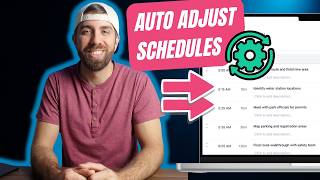
The key differentiator is dynamic time updates. When you change the duration of any Moment, every subsequent Moment automatically recalculates its start and end time. No manual math, no broken formulas. If a speaker runs long or a break gets cut short, one edit keeps the entire timeline accurate.
You can create multiple schedules per event - a pre-event setup timeline, a day-of run of show, and a teardown schedule, for example - each with its own independent time flow.
Checklists & Buildr AI
Ripluo's checklist tool goes beyond simple to-do lists. Each task can have a due date, assignee, priority level, and notes. Tasks are grouped into categories you define, and progress is tracked automatically so you can see at a glance how close you are to being event-ready.
Don't want to start from a blank page? Buildr AI can generate a complete checklist for you. Describe your event - "a 200-person fundraiser gala at a hotel ballroom" - and Buildr AI produces a structured checklist covering everything from initial venue booking through post-event follow-up. You can edit, add, or remove tasks after generation. Buildr AI also generates schedules and budgets the same way.
Budgeting Tools
The budget tool lets you create line items organized by category - venue, catering, entertainment, decor, marketing, and anything else you need. Each item tracks your estimated cost and actual cost, so you always know where you stand relative to plan.
You can log individual transactions against each budget item, attach notes, and see running totals. The budget summary shows your total estimated spend, total actual spend, and the variance - so you know immediately if you are on track or need to make adjustments.
Team, Vendors & Sponsors
The Team tool lets you invite collaborators to an event. Each team member gets role-based access - you can control who sees financial details like budgets and vendor payments, for example.
The Vendors tool is your centralized vendor management hub. Store contact info, track quotes, manage communications, and keep everything tied to the specific event. No more digging through email chains to find that catering proposal.
The Sponsors tool lets you manage sponsorship packages, track sponsor commitments, assign floor plan locations, and fulfill deliverables. For events that depend on sponsor revenue, this keeps every relationship and obligation organized.
Public Pages & Sharing
Need to share your event plan with a client or stakeholder who doesn't have a Ripluo account? Public Pages let you create a shareable, branded event page with the details you choose to include. Share your schedule, key details, or a summary view - without giving access to your internal planning tools.
This is especially useful for wedding planners sharing timelines with couples, corporate planners sharing agendas with executives, or anyone who needs to keep stakeholders informed without overwhelming them with internal planning details.
The Event CRM
Most CRMs are built for software companies or real estate agents - not event planners. Ripluo's CRM is different because it connects directly to your event planning tools. When a lead becomes a booked client, their information flows directly into event execution. No re-entering data, no switching platforms.
The CRM lives alongside your event tools in the same sidebar, giving you a unified workspace for both business development and event delivery. It includes contacts, leads, pipeline management, proposals, contracts, and invoicing.
Leads, Pipeline & Proposals
The Leads tool captures prospective clients and tracks their journey from first inquiry to booked event. Each lead stores contact info, event details, notes, and a status that maps to your pipeline stages.
The Pipeline gives you a visual board where you drag leads through stages - Inquiry, Consultation, Proposal Sent, Contract Signed, and so on. You customize the stages to match your sales process.
Proposals let you create branded, professional documents with reusable templates and text snippets. Pull in services from your catalog, customize pricing, and send proposals that clients can review online. Ripluo tracks when proposals are viewed so you know exactly when to follow up.
Contracts, Invoicing & Closing
Contracts in Ripluo support 70+ auto-fill variables so you can generate personalized agreements in seconds. Clients sign with legally binding e-signatures verified by one-time passcodes, and every signature generates a complete record compliant with the ESIGN Act.
Invoicing lets you create professional invoices, track payments, and manage your cash flow. You can set up payment schedules, send reminders, and see at a glance which invoices are outstanding. Everything ties back to the event and the client record in your CRM.
Together, proposals, contracts, and invoicing create a smooth close-to-cash workflow. A lead moves through your pipeline, receives a proposal, signs a contract, and gets invoiced - all without leaving Ripluo.
Get Started Free
Ripluo is free to get started with up to 5 active events - no credit card required. You get access to every event planning tool including schedules, checklists, budgets, notes, and Buildr AI. Paid plans unlock the CRM, team collaboration, and additional capacity for growing businesses.
Ready to escape the spreadsheet trap? Create your free Ripluo account and see every tool in action for yourself.
Frequently Asked Questions
Is Ripluo free to use?
Yes. Ripluo offers a free plan that includes up to 5 active events with full access to event planning tools like schedules, checklists, budgets, and Buildr AI. No credit card is required to sign up. Paid plans unlock the CRM, team collaboration, and additional features.
What is the spreadsheet trap?
The spreadsheet trap is the cycle of relying on disconnected spreadsheets for event planning - separate files for timelines, budgets, contacts, and leads that don't talk to each other. It creates extra work, increases the risk of errors, and costs planners hours every week in manual updates and version management.
Can I share my event plan with my team?
Yes. With Ripluo's Team tool you can invite collaborators to any event and control their access level. You can also use Public Pages to share a read-only view of your event schedule and details with clients or stakeholders who don't have a Ripluo account.
What is Buildr AI?
Buildr AI is Ripluo's built-in AI assistant that generates event schedules, checklists, and budgets based on a description of your event. Instead of starting from a blank page, you describe what you need and Buildr AI produces a structured starting point you can customize.
What is the difference between event planning tools and the CRM?
Event planning tools - schedules, checklists, budgets, vendors, and more - are tied to individual events and help you plan and execute each one. The CRM is a business-level layer that manages your leads, sales pipeline, proposals, contracts, and invoicing across all events. Together they give you a complete workflow from lead capture to event delivery.
Can I customize which tools are visible?
Yes. Every event lets you turn tools on and off from the sidebar. If an event doesn't need sponsors or a public page, hide those tools so you only see what is relevant. You can always turn them back on later.