Every room. One schedule.
Pulling off a great event means tracking a hundred moving details. Without a system built for it, they scatter across notes, spreadsheets, and a dozen apps. Ripluo gives you one place for every event detail: timelines, checklists, and tasks, easy to find and ready to use.
Now your schedule can show every room side by side, hour by hour.
By Room is included on Plus, Pro, and Enterprise.
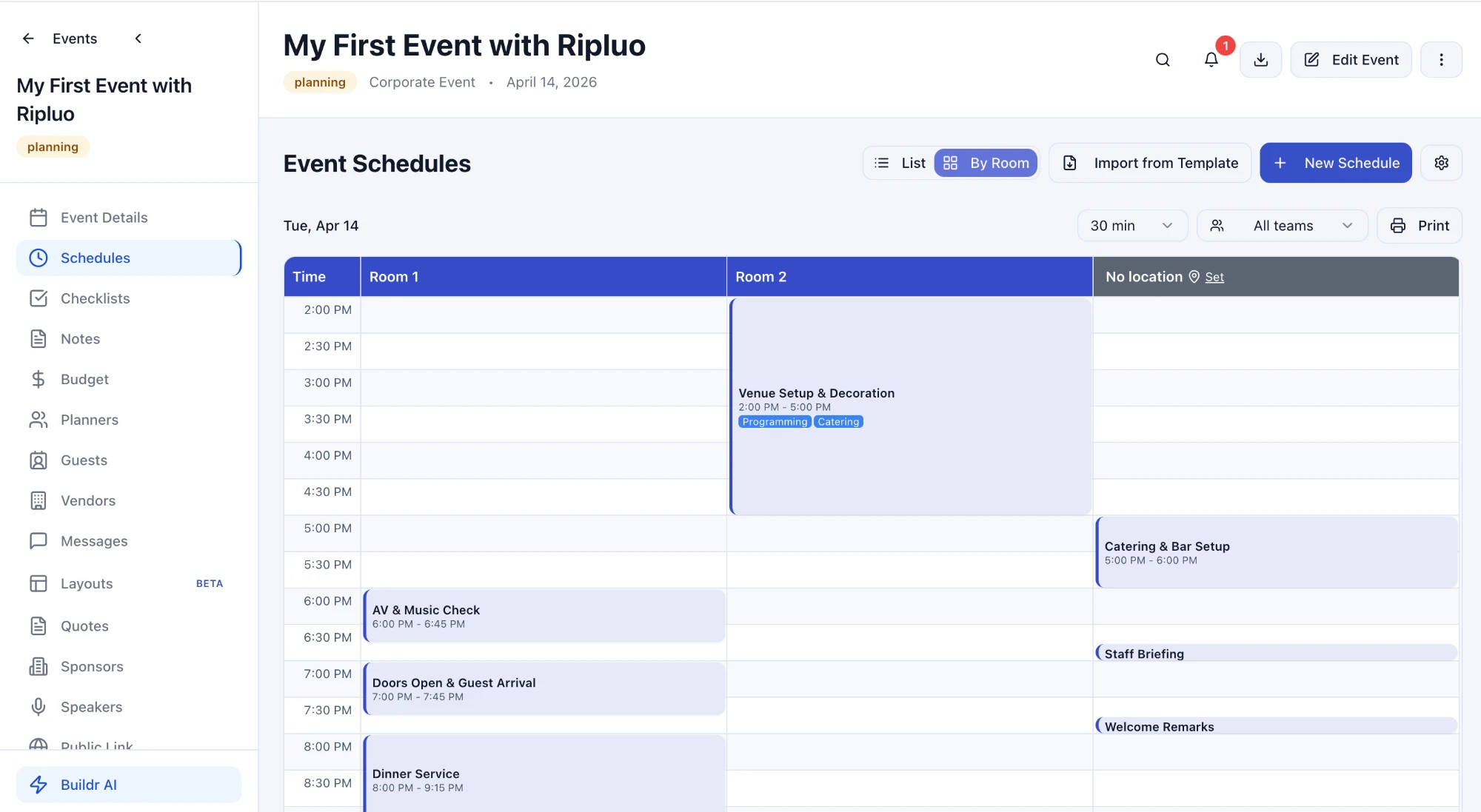
Venue setup in Room 2, AV check and dinner in Room 1, and the staff briefing still waiting on a room. One glance.
See Who Is Where, and When
The run of show you already built, laid out room by room
Built for Events With More Than One Room
Conferences and breakouts: Keynote on the main stage, three workshops down the hall, a sponsor lunch in the expo space. See every track at once instead of scrolling one long agenda.
Weddings across a venue: Ceremony on the lawn, cocktail hour on the terrace, reception in the ballroom. Know when each space flips and when your vendors need to be there.
Church conferences and retreats: Main session in the sanctuary, kids in the classrooms, volunteers in the fellowship hall. Every room lead knows their part of the day.
Setup and load-in: Setup, catering, and AV checks often happen in different rooms at the same time. By Room shows your crew where they are needed and when.
Set It Up in Three Steps
- 1
Add your rooms
Add the rooms and spaces for your event: stages, breakout rooms, the ballroom, the lawn.
- 2
Set a location on each moment
Give each moment in your schedule a location. Anything without one waits in No location.
- 3
Switch to By Room
Open Schedules and click By Room. Every room appears as its own column, with clashes flagged at the top.
Frequently Asked Questions
What is the By Room view in Ripluo?
By Room shows your event schedule as a grid. Each room gets its own column and time runs down the side, so you can see what is happening in every space at the same time.
Which plans include By Room?
By Room is included on the Plus, Pro, and Enterprise plans. Every plan, including Free, can build schedules and view them as a list.
Do I have to build a separate schedule for each room?
No. You set a location on each moment, and By Room sorts those moments into room columns for you. It also combines every schedule in your event for the day you are viewing. Switch back to List any time.
What happens to moments that do not have a room?
They show up in a No location column, so nothing gets lost. Click Set in that column's header to give them a location, and they move into the right room column.
Does it work for conferences with breakout sessions?
Yes. Breakouts appear in their own rooms and are labeled as breakouts. A moment that uses two neighboring rooms shows as one wide block across both, and Ripluo flags any room that is double-booked.
Ready to Run Your Event Business in One Place?
Timelines, budgets, checklists, and a full CRM on every plan. Start free - no credit card required.