What's New in Ripluo: Client Reviews on Proposals (Video Walkthrough)
Your happy clients can now sell for you: client reviews live right on your proposals, with a saved review library, named discounts and taxes, and proposals that fill themselves in from your pipeline.
Winning a booking is a race. While your proposal sits half-finished, your client is talking to someone faster. Miss a step, and a booking you should have won goes to someone else.
This week's update is all about the proposal step: making it faster to build, easier to trust, and better at closing the deal for you. Everything below is live in your account right now.
I also recorded a full walkthrough. It follows a real client's path from a form on your website, into your pipeline, through a finished proposal they can accept online:
Prefer to read? The step-by-step version lives in our proposals tutorial.
Here is a summary of everything that shipped:
| Update | What It Does | Shipped |
|---|---|---|
| Client Reviews on Proposals | Add star ratings and quotes from past clients to any proposal. Save them to a library and reuse them forever. | July 22 |
| Named Discounts and Taxes | Add discounts and taxes with real names, as a percent or a dollar amount. The math happens for you. | July 21 |
| Proposals Fill Themselves In | Start from a template and the deal's client and event details drop right in. | July 21 |
| A Cleaner Client Page | The page your client sees always renders bright and clean, shows the venue by name, and uses 12-hour times. | July 21-23 |
1. Your Happy Clients Can Now Sell for You
You have great reviews. Your next client just never sees them at the moment it matters most: while they're deciding.
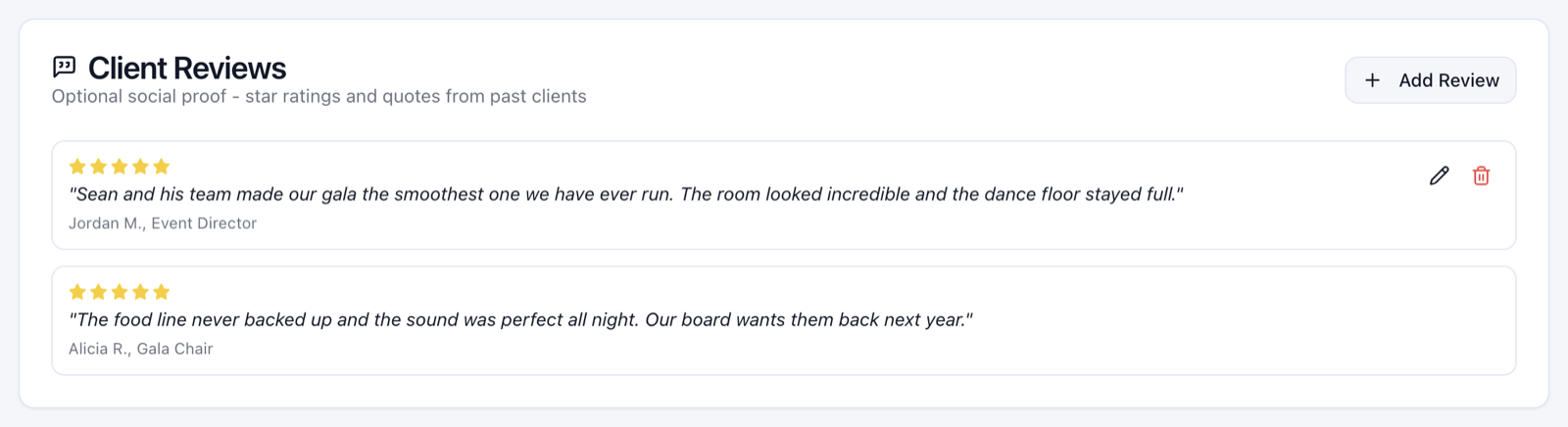
Now every proposal has a Client Reviews section. Add a star rating, the quote, and who said it. It sits right in the proposal, doing the selling you shouldn't have to do yourself.
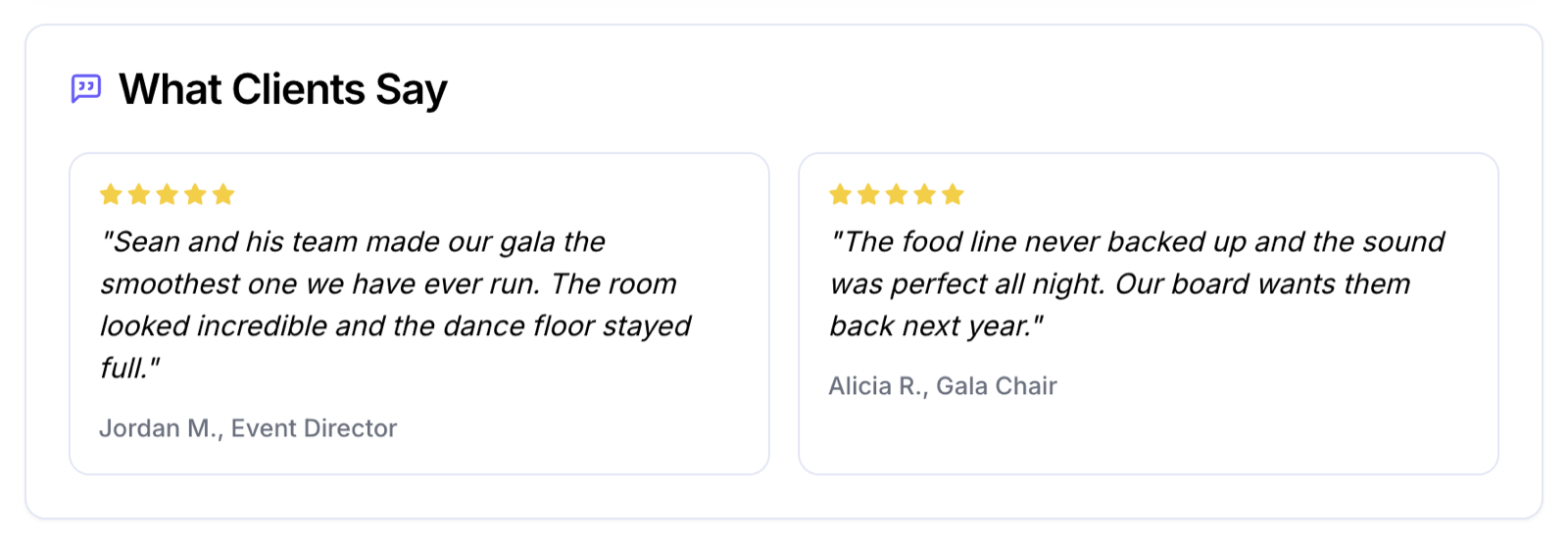
Here is what your client sees on their page:
And you only have to type each review once. Check "save to my review library" and it waits for your next proposal. Building proposal number ten? Pick your best reviews from the list and they drop in.
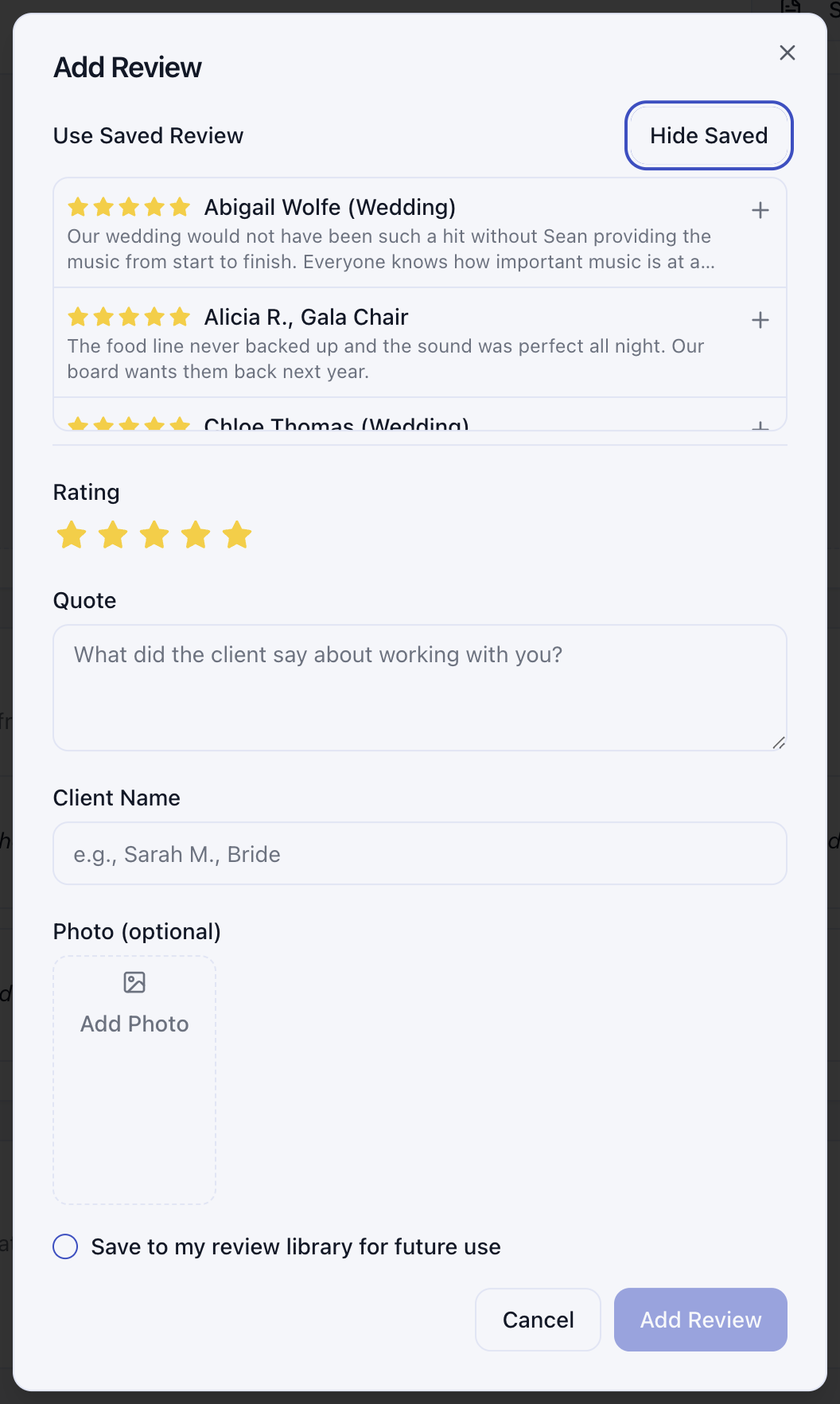
Shipped July 22. Find it in the proposal editor under About Company, and in your proposal templates too.
2. Discounts and Taxes With Real Names
"Why is the total different from the line items?" is not a question you want on a sales call.
Now you can add discounts and taxes to a proposal the same way they'd appear on an invoice: with a name your client understands. An Early Bird Discount at 10 percent. Sales Tax at 7 percent. Percent or dollar amount, your choice, and the math happens for you.
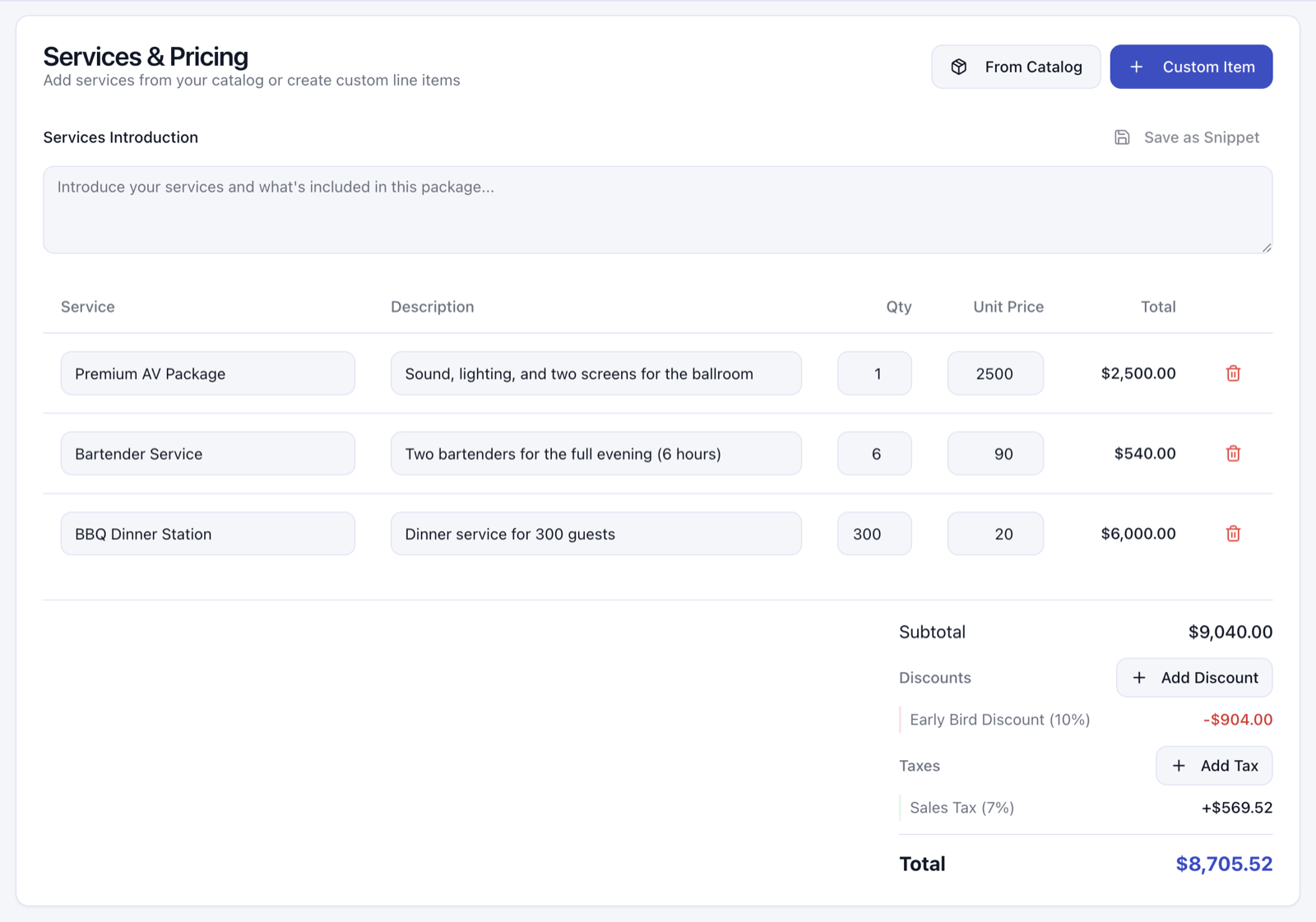
Shipped July 21. You can save a discount or tax as a template and reuse it on every proposal.
3. Proposals That Fill Themselves In
The client's name, the event, the venue, the date: you already typed all of that into your pipeline. You should never have to type it twice.
Start a proposal from a template now and it pulls the deal's details in for you. The contact picker is searchable, and when you hit Send, your client is already selected. Less copying and pasting, fewer chances for the wrong name to end up in front of the right client.
Shipped July 21.
4. A Cleaner Page for Your Client
A few small wins that add up on the page your client actually sees:
- The venue shows by name, with the address, laid out like the rest of the event details.
- Times read like humans say them: 6:00 PM, not 18:00.
- The page always renders bright and clean for your client, even if you build in dark mode.
- And if a proposal ever refused to save or showed old branding after saving, that's fixed. Saves are clean now.
Shipped July 21-23.
Try It On Your Next Proposal
Everything above is live in your account today. Open a proposal, add your two best reviews, and let them do the selling.
Not using Ripluo yet? Start free and build your first proposal today.