What's New in Ripluo: July 2026 Product Update
A cleaner event workspace with smart tool suggestions, faster proposal creation, global search from anywhere in the app, a new Teams hub, hosted lead capture forms, and a batch of fixes for speakers and budgets.
This week we shipped one of our biggest batches of updates yet. The theme: less clutter, fewer clicks, and nothing slipping through the cracks. Every update below is live in your account right now.
Here is a summary of everything that shipped:
| Update | What It Does | Shipped |
|---|---|---|
| Smart Event Tools Menu | Your event sidebar shows the tools you use, with the rest one click away in a More menu. New events suggest the right tools for your event type. | July 10 |
| Proposal Creation Fix | New accounts were hitting an error when creating their first proposal. That wall is gone. | July 11 |
| Global Search | Search your whole workspace from the header or with Cmd+K, and see full results on a dedicated page. | July 7-8 |
| Teams Hub | A dedicated home for your event-day teams, with team leaders and a guided setup. | July 10 |
| Hosted Lead Forms | Every lead capture form now gets its own hosted page you can link anywhere, plus per-form notification recipients. | July 8 |
| Speaker & Budget Fixes | Speaker names and sessions save reliably, and outside planners you invite can now work in event budgets without errors. | July 9-10 |
1. A Cleaner Event Workspace with Smart Tool Suggestions
Ripluo has a lot of event tools. Not every event needs all of them, and a sidebar showing everything at once made it harder to find the tools you actually use.
Now your event sidebar shows your core tools, and everything else lives in a clean More menu. Hover over any tool in the menu to see what it does before you open it.
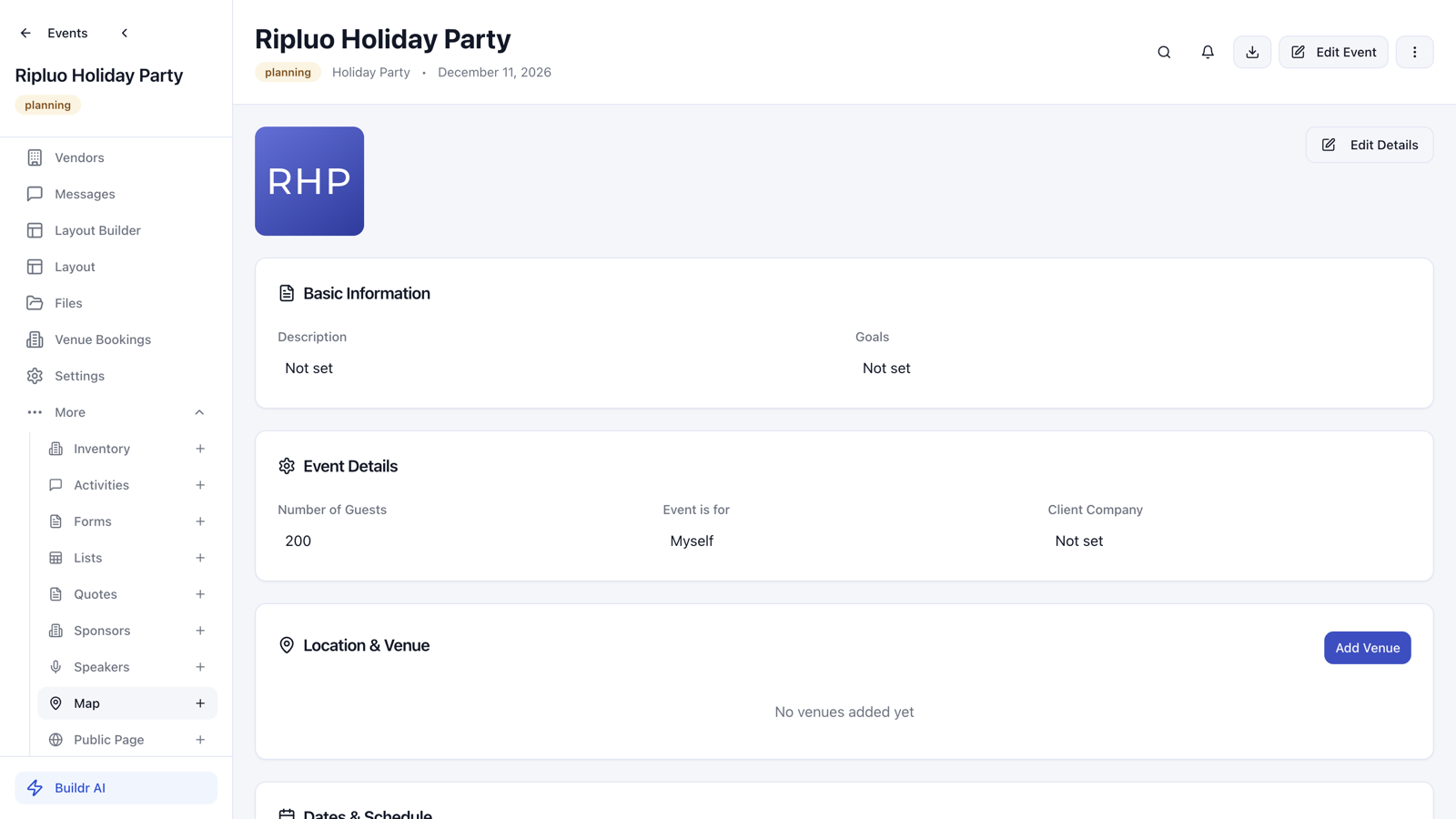
Even better: when you create a new event, Ripluo looks at the event type and suggests the tools that fit. A gala gets sponsor tracking. A conference gets speakers and breakout sessions. A wedding gets guest lists and floor plans. You pick what you want and skip the rest.
Shipped July 10. Available on all plans.
2. Proposal Creation Works for Every Account Now
Some newer accounts hit an error when they tried to create their very first proposal. The proposal would refuse to save, with no clear reason why. That was our bug, and it is fixed.
If you tried to create a proposal and gave up, please try again. It works now, and we are sorry for the roadblock.
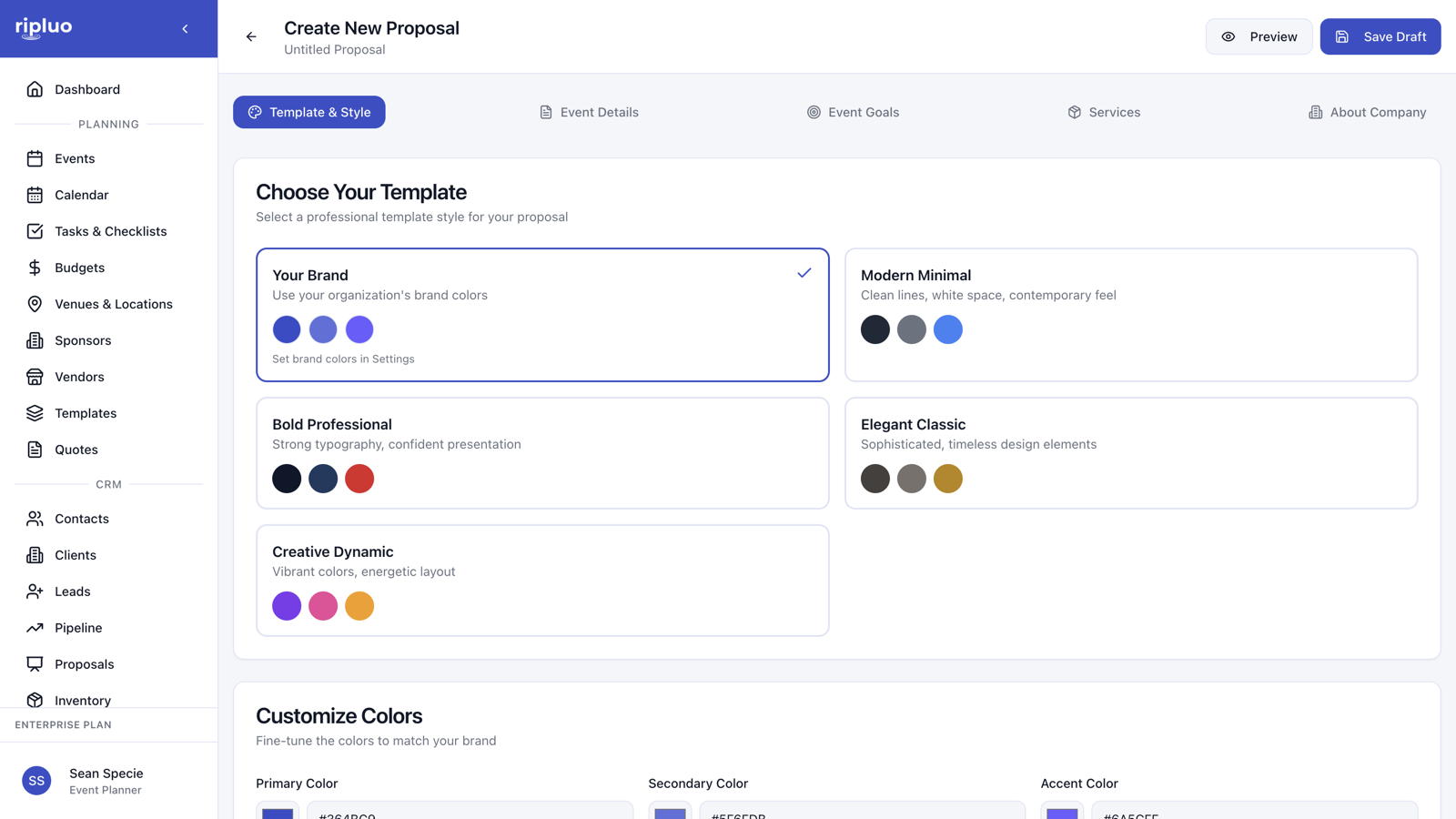
Fixed July 11. Proposals are available on Pro and Enterprise plans.
3. Global Search: Find Anything with Cmd+K
Your workspace holds events, contacts, tasks, invoices, and more. Now you can find any of it in seconds.
Click the search bar in the header, or press Cmd+K (Ctrl+K on Windows), and type what you are looking for. Results appear as you type across your events, contacts, companies, tasks, and documents. Press Enter to open a full results page when you want to see everything that matched.
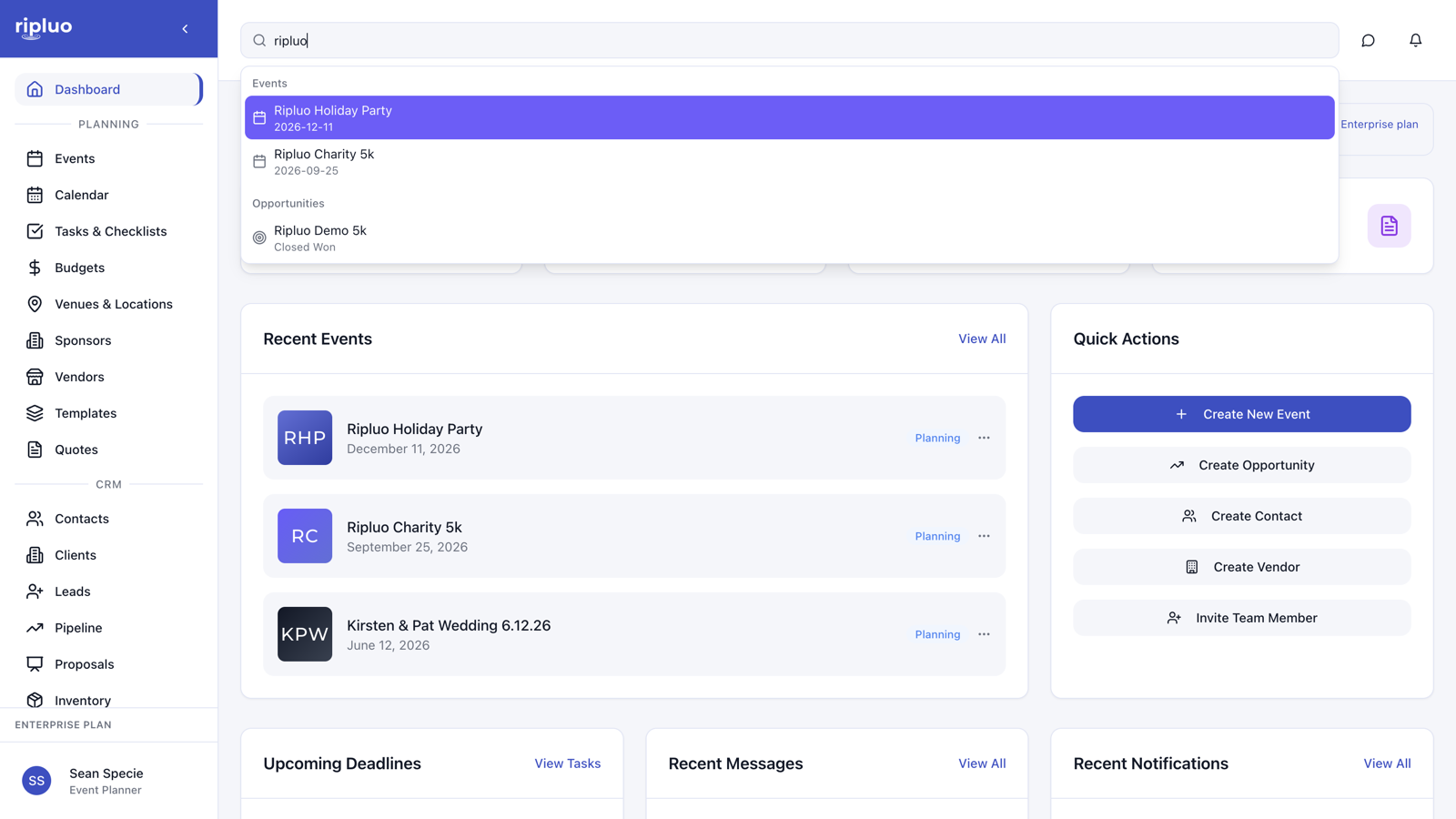
Shipped July 7-8. Available on all plans.
4. The New Teams Hub
Event-day teams (your catering crew, AV team, volunteers, setup staff) now have a real home. The old Team Overview page has been rebuilt as a Teams hub.
- Teams get a leader. Assign a point person for each team so everyone knows who to ask.
- Guided setup. Starting from zero? The empty state walks you through creating your first team, with suggested team names one click away.
- Clearer names. The sidebar now separates Planners (the people planning with you in Ripluo) from Teams (the crews working your events).
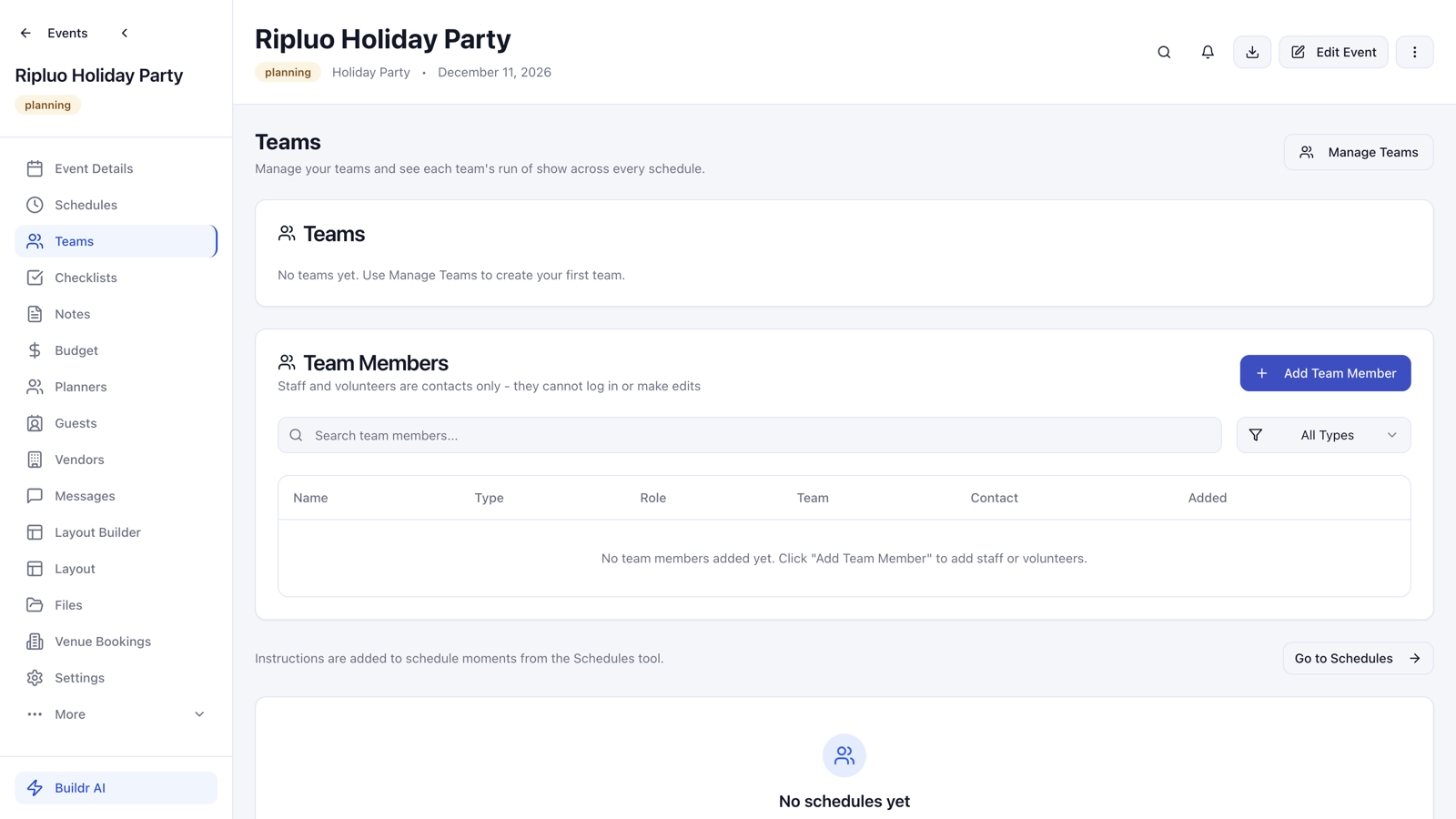
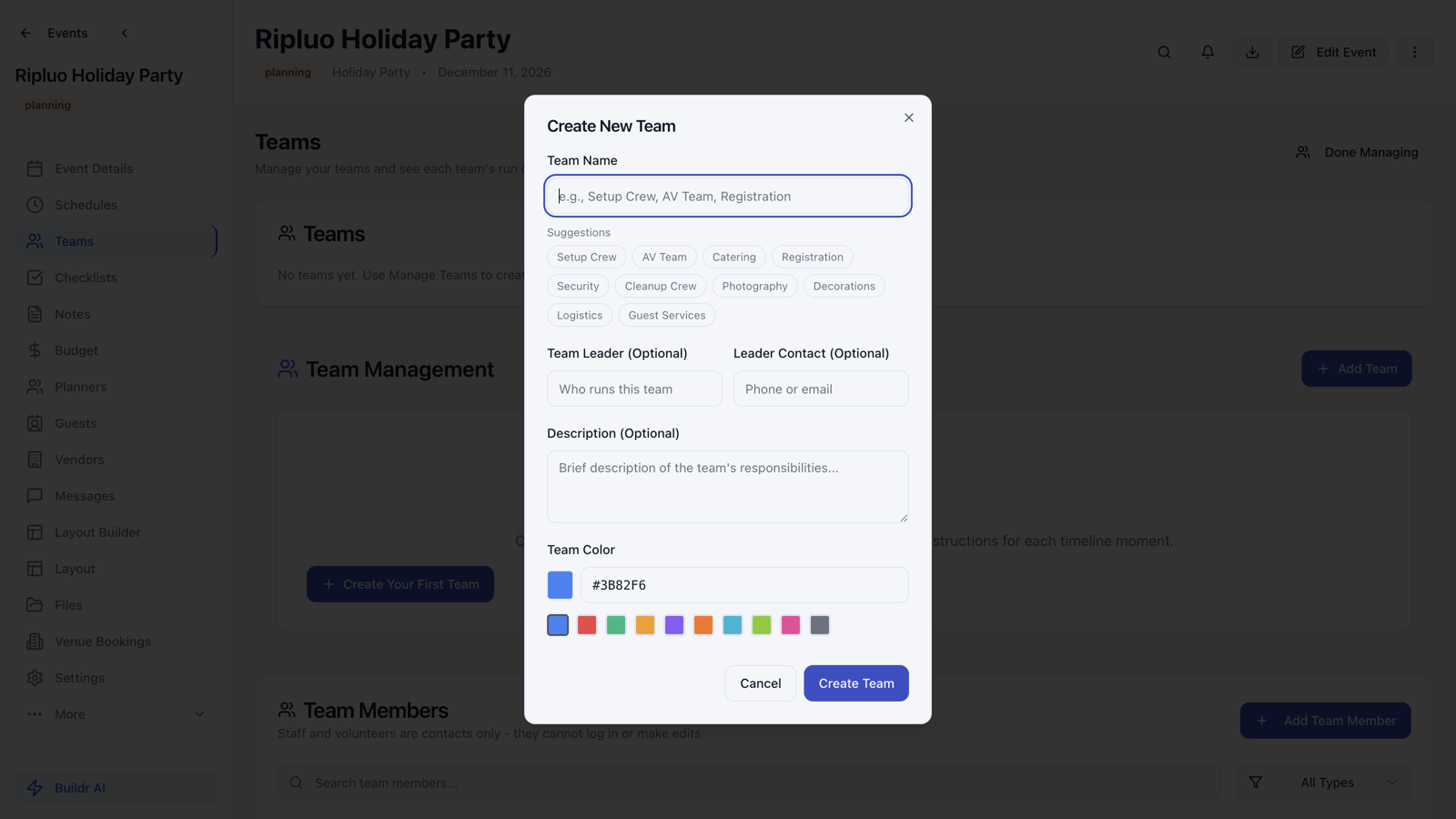
Teams connect to your schedules too: give each team its own instructions at any moment in your run-of-show, then export a runsheet showing each crew only what they need.
Shipped July 10.
5. Lead Capture Forms Get Their Own Page
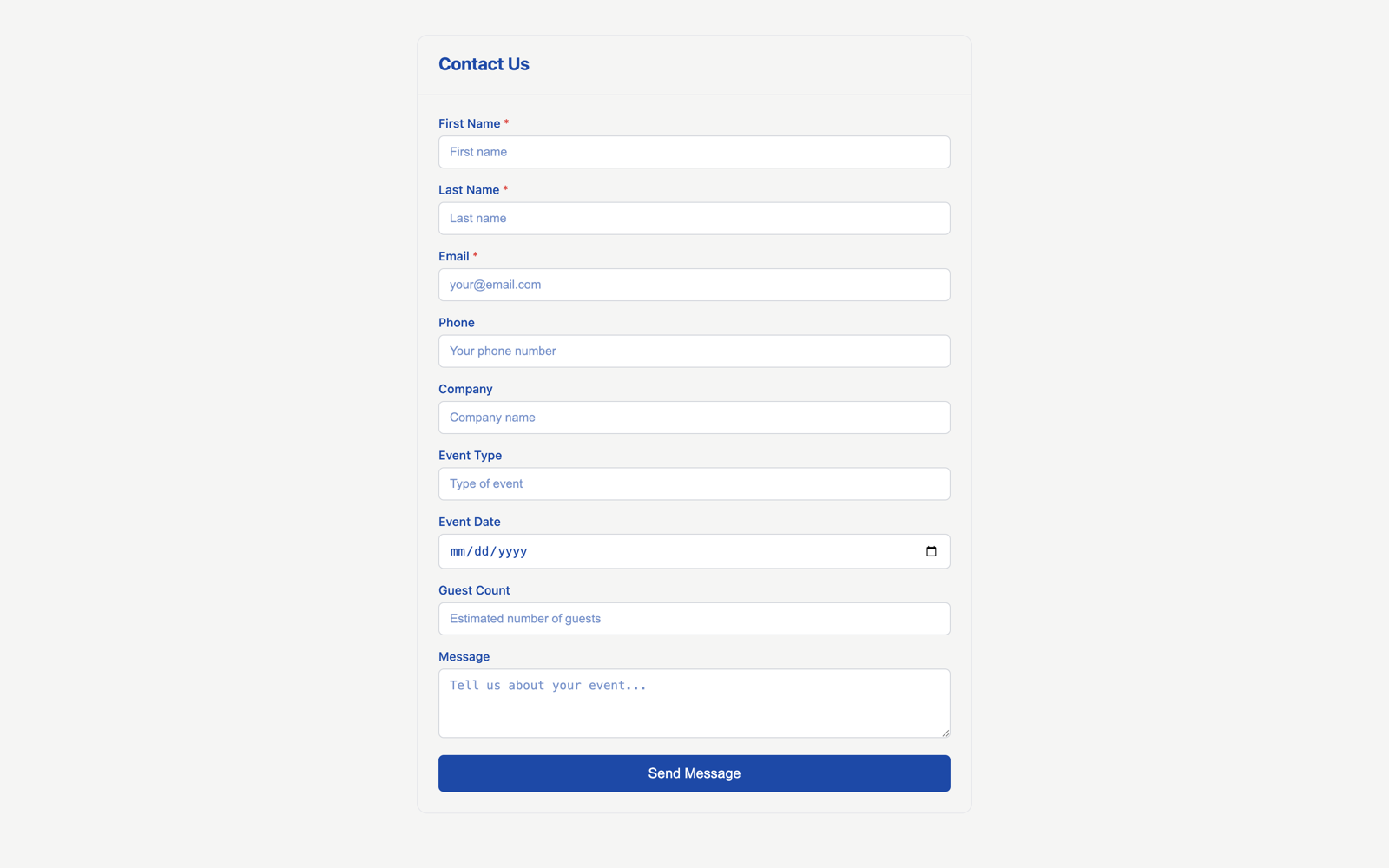
Lead capture forms could already be embedded on your website. Now every form also gets its own hosted page on Ripluo, so you can share a link in an Instagram bio, a QR code, or an email signature with zero website work.
You can also choose who gets notified for each form. Send wedding inquiries to one teammate and corporate inquiries to another.
Shipped July 8. Lead capture is available on Pro and Enterprise plans.
6. Fixes: Speakers, Budgets, and Faster Contact Actions
A batch of smaller updates that remove daily friction:
- Speaker management - Speaker opportunities now have dedicated Speaker Name and Session fields, names no longer vanish after saving, and the speaker table links straight to the contact record. (July 9)
- Budgets for outside planners - If you invite an outside planner to an event, they can now create and work in that event's budget without permission errors. The Create New Budget button on an empty budget tab works again too. (July 9-10)
- Contact quick actions - Email addresses and phone numbers on a contact are now clickable links with one-click copy buttons. (July 9)
- Inventory from inside an event - Create new inventory items right from the event's Inventory tab instead of jumping to the main inventory page. (July 10)
Try It All Now
Everything above is live in your account today. Log in, press Cmd+K, and take the new workspace for a spin.
Not using Ripluo yet? The event tools are free forever on the free plan.