What's New in Ripluo: Design Your Event Space with Layouts
Layouts is here: draw your event space, add tables with numbered chairs, rotate anything, and put your venue's floor plan right under your design. Plus venue pages, reusable room setups, and live chat.
Event details scatter across notes, spreadsheets, and a dozen apps. The room setup is usually the worst of it: a sketch on a napkin, a photo of a whiteboard, a PDF from the venue you can't edit. Then someone asks "where does Table 4 go?" and nobody has the same answer.
This week's update is all about that problem. You can now design your event space right inside Ripluo, save it to the venue, and reuse it next time. Every update below is live in your account right now.
Here is a summary of everything that shipped:
| Update | What It Does | Shipped |
|---|---|---|
| Layouts (Beta) | Draw your event space: tables with numbered chairs in one step, rotate anything, move around the room with easy controls, undo mistakes. | July 11-16 |
| Floor Plan Backgrounds | Put the venue's real floor plan under your design so every table lands in the right spot. | July 13 |
| Venue Pages | Every venue gets its own page: details, your contacts there, saved layouts, and notes. | July 16 |
| Reusable Room Setups | Save a layout to a venue once. Start from it next time you book the same room. | July 13 |
| Live Chat | Talk to a real person from inside the app when you need help. | July 16 |
1. Layouts (Beta): Draw Your Event Space
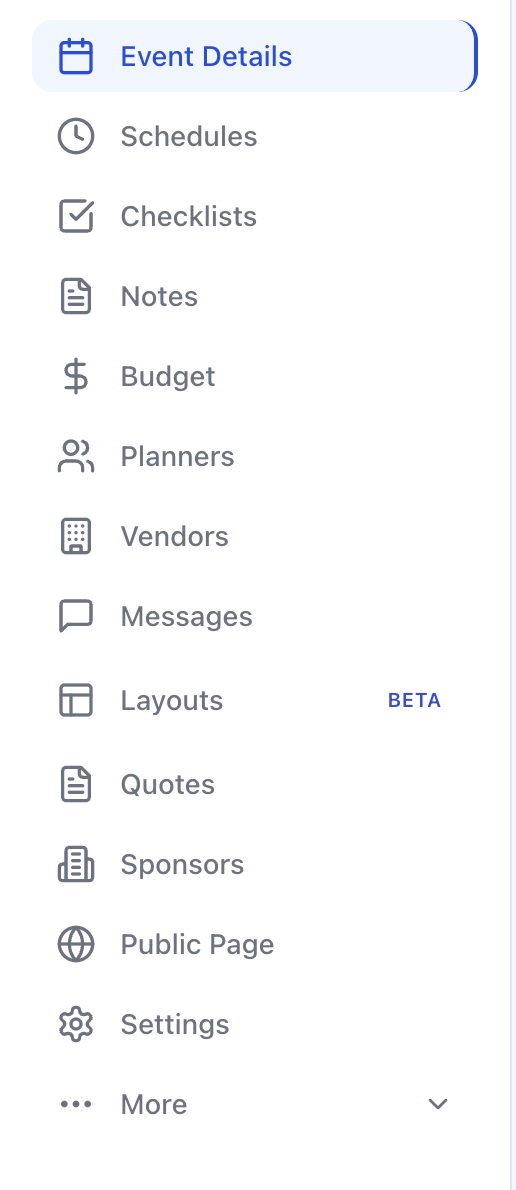
Find Layouts in your event sidebar. It works like paper, but smarter.
Add a table and tell us how many chairs it needs. The chairs appear around it, numbered if you want. Move the table and the chairs come along. Grab the rotate handle and the whole table turns, chairs and all, with the seat numbers staying easy to read.
You can also add chair rows for a ceremony, arrows to show the flow of the room, and text notes for anything else. Made a mess? Undo works, and so do copy and paste.
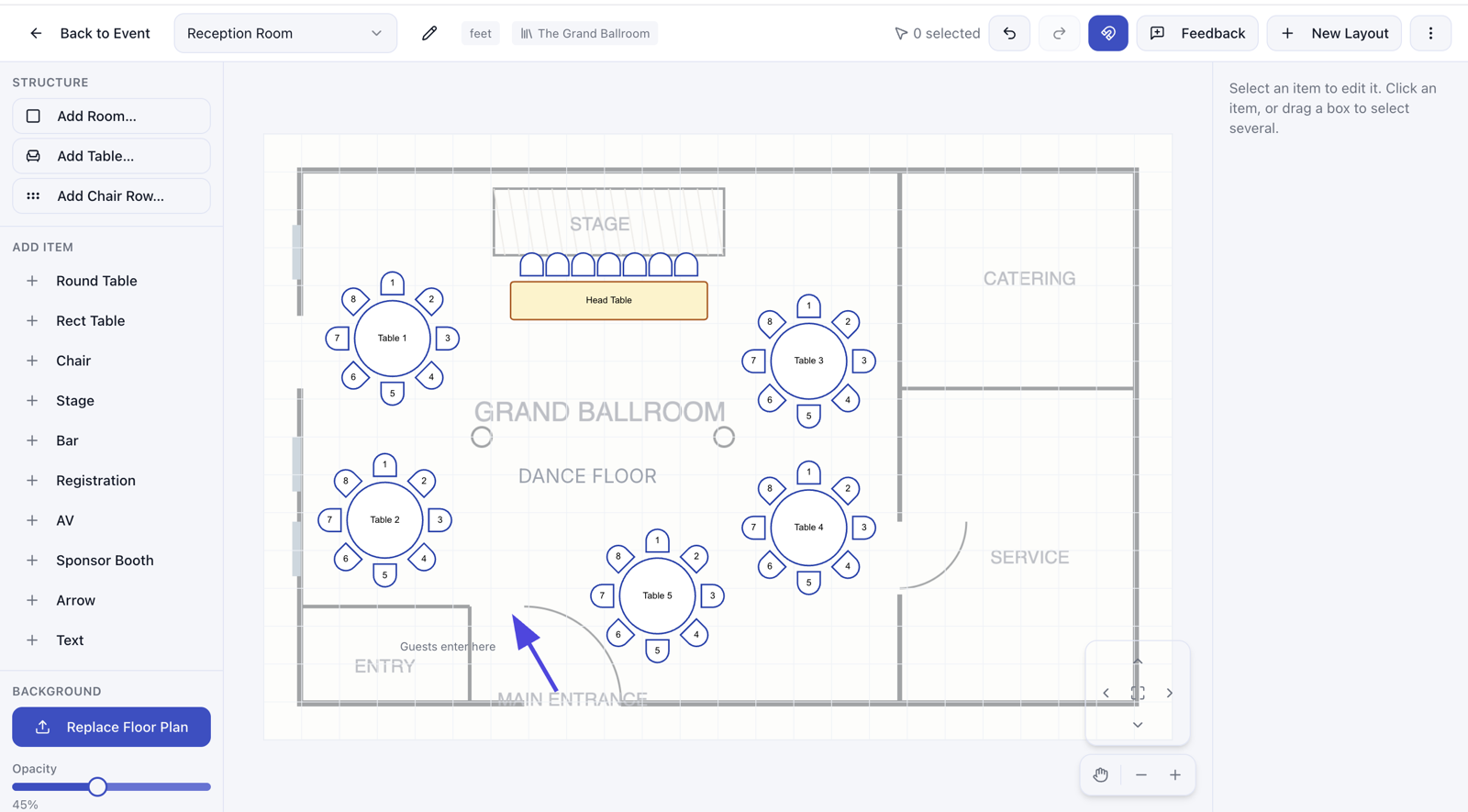
Moving around a big room is easy too. Use the arrows in the corner to pan, the hand tool to grab and drag the whole canvas, and the center button to fit the whole room on your screen in one click.
Shipped July 11-16. Layouts is in beta and included on every plan: 2 layouts on Free, 10 on Plus, 100 on Pro. See something off or missing? Hit the Feedback button right in the tool. It comes straight to us.
2. Put the Real Floor Plan Under Your Design
Your venue already gave you a floor plan. Now it can do some work. Upload it as the background of your layout, fade it to the level you like, and place your tables on the real room, walls, stage, doors and all.
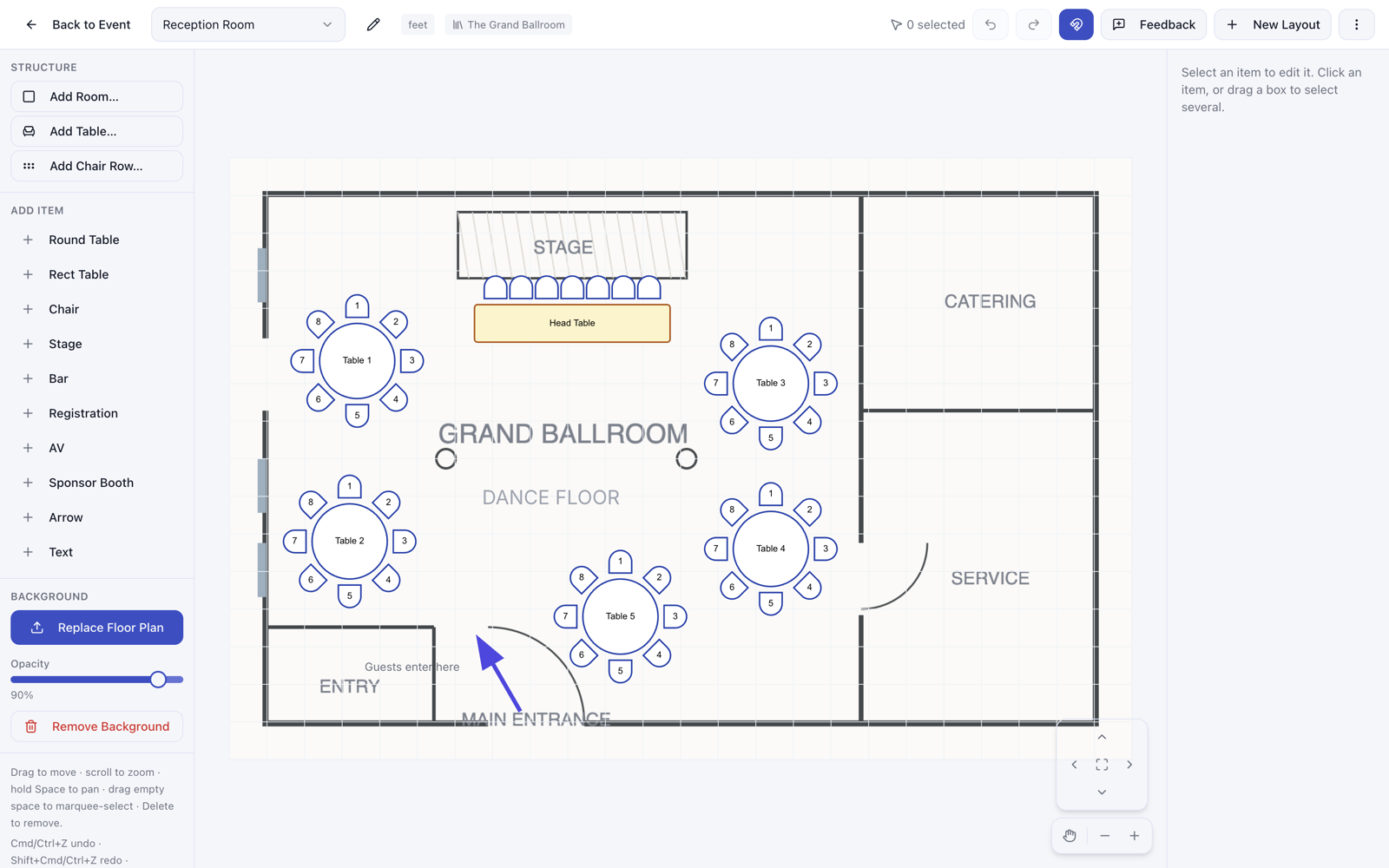
Shipped July 13. Upload a floor plan when you create a layout, or anytime from the Background panel.
3. Venue Pages: One Home for Each Venue
Click any venue and you now land on a full page for it instead of a small popup. You'll see the venue details, the people you work with there, every layout you've saved for that room, and your activity notes. When your venue contact calls, everything you need is on one screen.
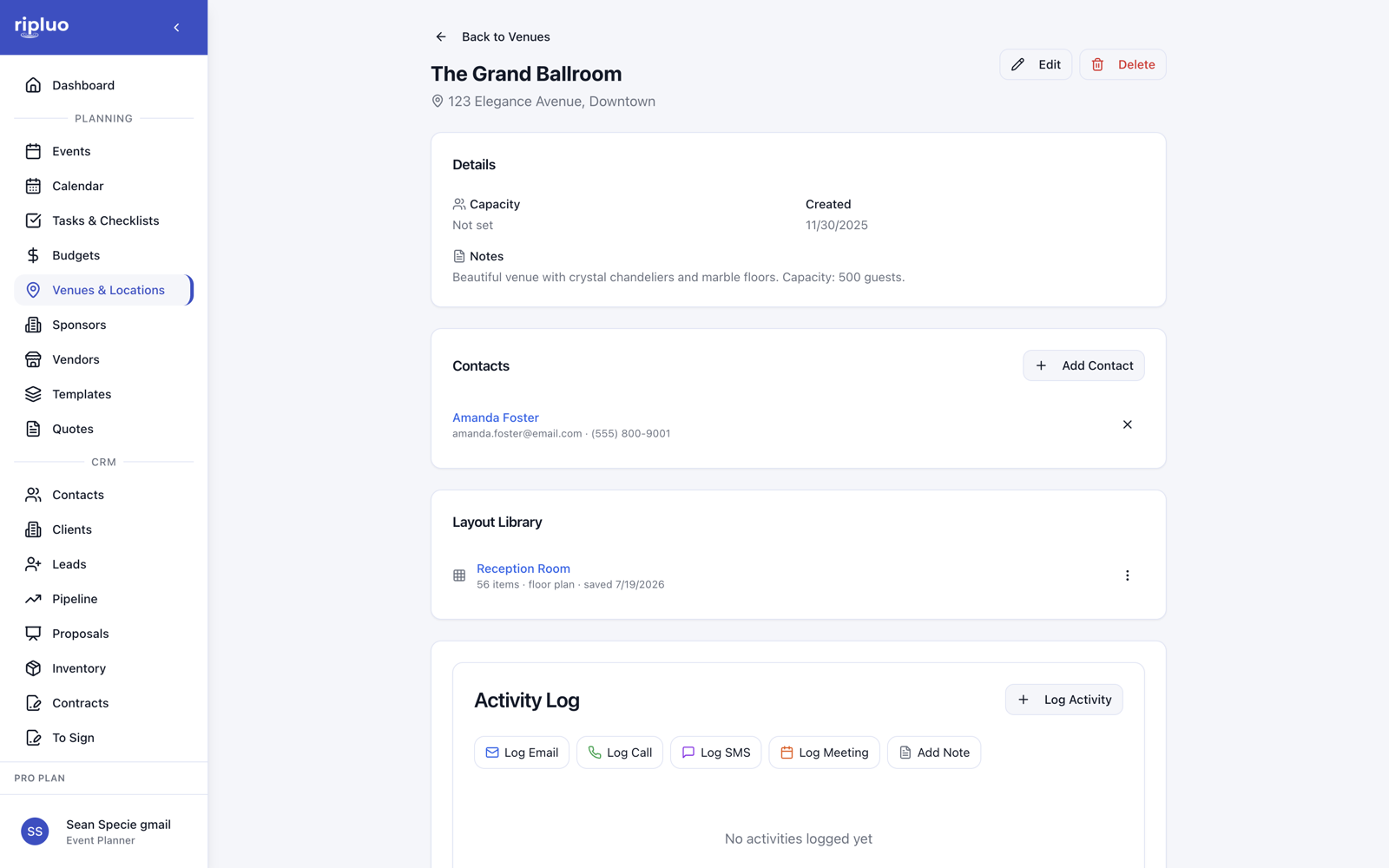
Shipped July 16.
4. Design the Room Once, Reuse It Every Time
Book the same ballroom twice a month? Save your layout to the venue and it waits there for next time. When you create a layout for a new event, pick a saved room setup and start from a copy instead of a blank page.
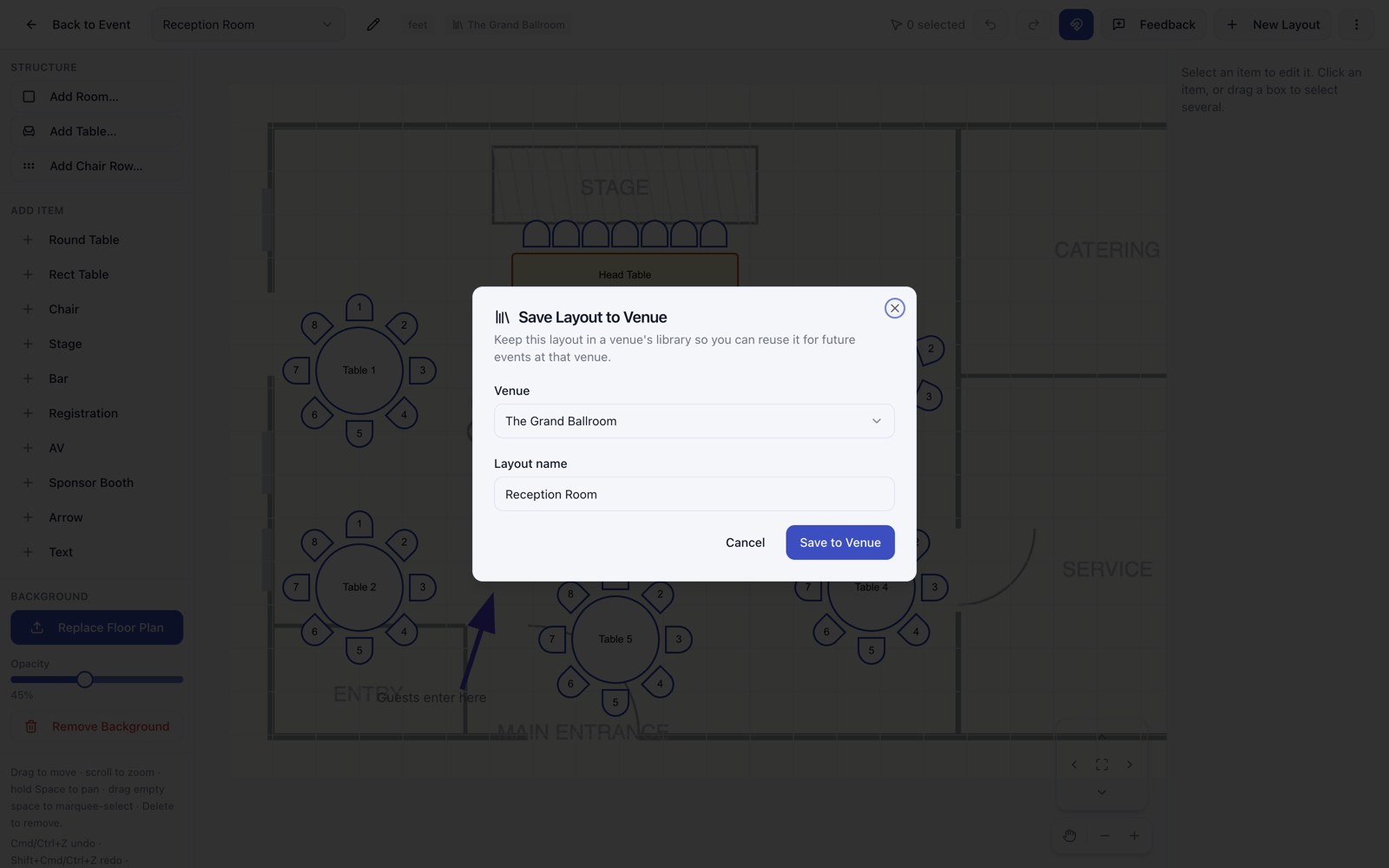
Shipped July 13. Saving keeps a snapshot, so later edits to the event copy never touch your saved version.
5. Live Chat: A Real Person, Right in the App
Stuck on something? Open the feedback window in the app and start a chat. You are talking to us, not a bot maze. We read every message.
Shipped July 16. Available to signed-in users on every plan.
Try It On Your Next Event
Everything above is live in your account today. Open an event, click Layouts, and set up the room while it's fresh in your head.
Not using Ripluo yet? The event tools are free forever on the free plan.